
The right official lottery app depends on the state that issued your ticket and the task you need to complete. This guide compares eight state operators so you can distinguish public results, ticket scanning, promotional entries and purchases before downloading or opening an account. Features and release notices were checked November 17, 2026.
Choose the app for the lottery that issued your ticket
The useful starting point is the state printed on your ticket, not the game logo alone. A Powerball ticket bought in California belongs to California's ticket system. A Powerball ticket bought in New Jersey belongs to New Jersey's system. They can enter the same national drawing while requiring different official tools to inspect their barcodes and different claim instructions afterward.
This guide compares eight state app options checked on November 17, 2026: California, Florida, New York, New Jersey, Michigan, Mississippi, North Carolina and Pennsylvania. It is a selected comparison, not a claim that one download supports every U.S. ticket. Features described here concern those operators' published services; this article does not claim hands-on scans, account registration or successful prize claims.
Verify the operator before following a download
Start at the issuing lottery's website and follow its current download link. Compare the developer or publisher on the store listing with the operator identified by that website. Search ads, a familiar logo and a high rating are weaker identity checks. An independent app may be useful for reading numbers, but the words official results in its description do not make the publisher a state lottery.
Check the device and region requirements on that linked listing before installing. A device that can open a results website may still be unable to run the current scanner. Likewise, a store age-rating badge is a platform classification, not a replacement for the lottery's participation rules. Keep software compatibility and legal eligibility as separate checks.
Do not assume that every camera-based checker connects to an operator's validation system. Some tools recognize printed numbers and compare them with a drawing; others scan an eligible barcode within a state app. Our online ticket-scanning guide explains that distinction. The comparison below helps you choose a state service and identify which additional functions actually need an account, a retailer visit or a separate claim process.
Compare eight official state app options
Use this table to identify the right operator and the feature worth checking next. It compares published functions, not app-store popularity or a claimed speed test. A checkmark for scanning would hide important differences, so each row names a practical boundary. For any transaction, the current app instructions and game rules control the ticket types, account requirements and eligibility.
| Issuing lottery | Published app functions | Important boundary |
|---|---|---|
| California | Check-A-Ticket for Scratchers and draw tickets; results; 2nd Chance entries | Checking a ticket and submitting a promotional code use different functions. |
| Florida | Ticket checks, including eligible draw tickets and Scratch-Offs; game information | The official FAQ does not offer Florida ticket sales over the Internet. |
| New York | Winning numbers, retailer information and ticket scanning | Ticket Check access requires login; a public result is a different feature. |
| New Jersey | Ticket scanning, second-chance entries, ePlayslips and eligible mobile claims | A supported ePlayslip still needs retailer payment; Android restoration is announced as forthcoming. |
| Michigan | Eligible retail-ticket scanning, account features and online games | A registered account is required for the scanner; the website has no ticket-scanner feature. |
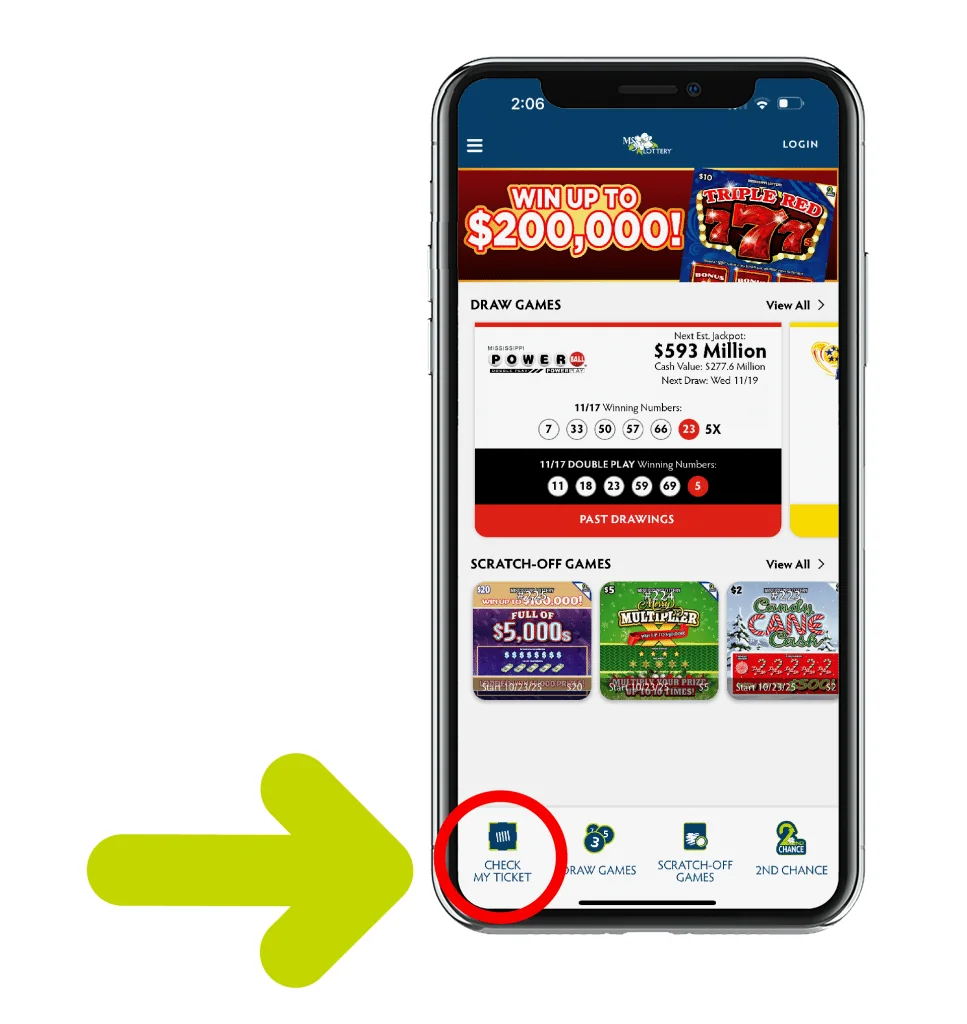
| Mississippi | Scratch-off and draw-ticket checks, results and second-chance entries | The official guide separates Check My Ticket from the promotional-entry section. |
| North Carolina | Ticket checker, Lucke-Rewards and eligible Online Play purchases | Member features require an account; purchase eligibility is separate from viewing results. |
| Pennsylvania | Ticket Checker, second-chance entries, results and online play functions | Check the operator's instructions for the particular retail or online ticket. |
The original operator pages are the appropriate download starting points: California, Florida, New York, New Jersey, Michigan, Mississippi, North Carolina and Pennsylvania. Follow the operator's current store links if a landing-page address changes.
For California, our Check-A-Ticket guide develops the barcode and 2nd Chance differences. For Florida, the official app guide covers draw tickets and Scratch-Off checks. This comparison deliberately keeps those detailed procedures on their state pages instead of assuming one state's camera instructions apply everywhere.
The table also explains why a single best-app ranking is not very useful. Someone holding a Mississippi scratch-off needs the issuing state's supported check, not a highly rated app built for Michigan purchases. A person who only wants a public drawing result may not need an app account at all. Match the feature to your task before accepting permissions, creating accounts or depositing funds.
Read account requirements before signing up
Decide which feature you want before creating an account. Public winning numbers, a personal rewards balance, a barcode check and an online purchase can have different access rules within the same app. A login screen is not evidence that every piece of lottery information is private, and a visible results page does not establish that the scanner works without an account.
New York and Michigan separate public results from scanner access
New York's official app developer description places ticket scanning among its login-dependent features. Michigan's scanner FAQ explicitly requires a registered Michigan Lottery account and says there is no website scanner. These are specific service conditions. A search promising a free scanner without login should not override the operator's own requirement.
North Carolina provides another clear example. Its mobile FAQ says public winning numbers and some information can be accessed without an account, while the ticket checker, Lucke-Rewards and Online Play purchases require one. That distinction can save an unnecessary registration when your actual task is simply looking up a drawing.
Use the New York app guide or Michigan app guide for a closer look at the corresponding service. If you proceed with registration, supply information only through the official app or operator site and read the current verification requirements. This comparison does not ask you to send account documents to LotterySnap.
Promotional accounts are a different decision
Second-chance entries and loyalty points concern separate promotions. Mississippi's official guide distinguishes Check My Ticket from its second-chance login and entry steps. California distinguishes Check-A-Ticket from Enter 2nd Chance. A success message for a promotional entry is not a declaration that the original ticket has won a base-game prize.
Before registering for a promotion, read its eligible tickets, entry period and account rules. Do not assume that a code accepted by one campaign is accepted by another or that every losing ticket qualifies. Keep the purpose of the account clear: access to public numbers, checking a purchased ticket, entering a promotion and buying a new play are separate decisions, even when the buttons sit close together.
Separate ticket scanning, playslips and online purchases
Three similar-looking camera or number-selection screens can perform very different jobs. A ticket checker inspects a ticket you already hold. A digital playslip stores selections for a later retailer transaction. An online purchase submits an entry through an authorized sales service. Before touching a payment button or presenting a code, identify which of those actions is actually taking place.
Florida demonstrates why scanner support is not proof of online sales. Its official General Games FAQ describes app checks but states that Florida Lottery tickets are not sold over the Internet and that it does not offer a subscription service. North Carolina's operator, by contrast, describes eligible purchases through Online Play. A feature available in one state's app does not establish permission or availability in another state.
A retailer playslip still needs payment
New Jersey's app overview describes creating selections and presenting an ePlayslip code to a retailer or vending machine with payment. Until the purchase is completed, a saved selection is not a lottery ticket. Check the ticket or transaction record afterward for the game, drawing and selections you intended. A camera successfully recognizing the playslip code is not the same event as checking a purchased ticket for a win.
Feature announcements need dates and platform checks. As reviewed for this guide, New Jersey's Hot News notice labels its redesigned service as not launched and says Android ePlayslips will return with that launch. It also describes manual ticket-number entry as forthcoming. Do not assume those announced features are already available on an Android installation merely because a general app page advertises playslips.
For online play, read the actual service's account and location requirements before depositing money. Being able to download an app while travelling does not establish eligibility to purchase from that location. A retailer finder or public-results function may work where a purchase function does not. Do not use a VPN or borrowed account to work around a lottery's location or identity checks.
Keep a personal spending limit independent of the convenience of saved selections or recurring plays. A reminder, digital wallet or quick repeat button changes the buying process, not the mathematical chance of any valid entry. LotterySnap supplies independent information and number comparisons; it neither sells these tickets nor accepts wagers on your behalf.
Treat mobile prize claims as a separate feature
A scanner can report a potential win without submitting a prize claim. Look for a separate claim action and the lottery's eligibility instructions before assuming that money is being paid. A second-chance confirmation is different again: it records a promotional entry, rather than paying the prize printed on the original ticket. These distinctions matter when several functions share one account or camera screen.
New Jersey's current mobile-app and claim pages describe mobile claims for eligible prizes between $600 and $10,000. The app can offer the claim process after checking a qualifying ticket. Those limits are specific to New Jersey; they are not a national rule for lottery apps. Its official claim instructions also provide other routes for players who need them.
Michigan illustrates how quickly this comparison can change. The Lottery's November 16, 2026 announcement introduced remote ticket cashing for eligible in-store prizes from $601 through $49,999. It requires an active account, an account holder at least 18 years old and physical presence in Michigan. The app's eligible-ticket workflow offers a cash-online action; the announcement also specifies a $10 minimum withdrawal from the account. This is a dated example, so check the operator's current instructions before relying on the range.
For any state, read the claim screen as a new transaction. Confirm which ticket and prize it concerns, complete the requested checks through the official service, and retain the confirmation supplied. A scan result alone is not proof that a claim has been received or a payment completed. If the screen reports an error, avoid treating repeated attempts as separate claims; use the operator's support process to establish the status.
Do not discard, alter or hand over the original ticket simply because a phone displays a dollar amount. Follow the issuing lottery's instructions for retaining or submitting it. Also distinguish the advertised prize from the amount eventually received: required reporting, withholding or other claim rules can affect payment. The app's convenience does not remove those rules, and another state's guide cannot supply them for your ticket.
Choose a practical fallback when an app is unavailable
Begin with the function that failed. If the camera never opens, inspect the app's camera permission in your device settings. If it opens but cannot read a ticket, follow the operator's instructions for the correct barcode and lighting. If the failure occurs only after a login prompt, use the official password-recovery route. A new password will not repair a torn barcode, and changing camera settings will not restore an account.
California's official guidance identifies reflected light, a dirty lens and damaged or poorly printed barcodes among possible scan problems. It also distinguishes manually entering a second-chance code from checking whether a ticket won. A manual promotional entry is therefore not a substitute for prize validation. Before using any fallback field, read its label and confirm what that field actually submits.
When installation or scanning remains unavailable, use the issuing lottery's public results for an initial comparison of a draw ticket. Match the game, exact drawing date, session and every relevant number or add-on. LotterySnap's number checker can help with supported number comparisons, but it does not read an official ticket barcode or authenticate a ticket. A scratched instant game needs its own game rules and official checking route; draw-number comparison cannot resolve it.
A missing option may also be a platform or release limitation. Read the operator's latest service notice before repeatedly reinstalling an app or searching for an older package. An unofficial APK advertised as a fix can introduce a different publisher and different access to your information. If the operator cannot provide a supported installation for your device, a retailer or the operator's support service is a more direct next step.
Keep the original ticket and its state identity
Put unresolved tickets somewhere secure while you seek help. Preserve the original and note the game, issuing state, drawing and exact error message. Do not post a photograph containing a readable ticket barcode or claim details in a public review. Support staff need an accurate problem description; a public audience does not need a usable copy of the ticket.
Powerball or Mega Millions tickets can share national winning numbers while belonging to different state lotteries. Use the operator that issued your ticket for validation and claim instructions. Check that operator's deadline rather than assuming an app outage extends it. If a scan, manual comparison and retailer result appear inconsistent, retain the ticket and ask the lottery to resolve the discrepancy before treating any one screen as the final answer.

Loading comments...