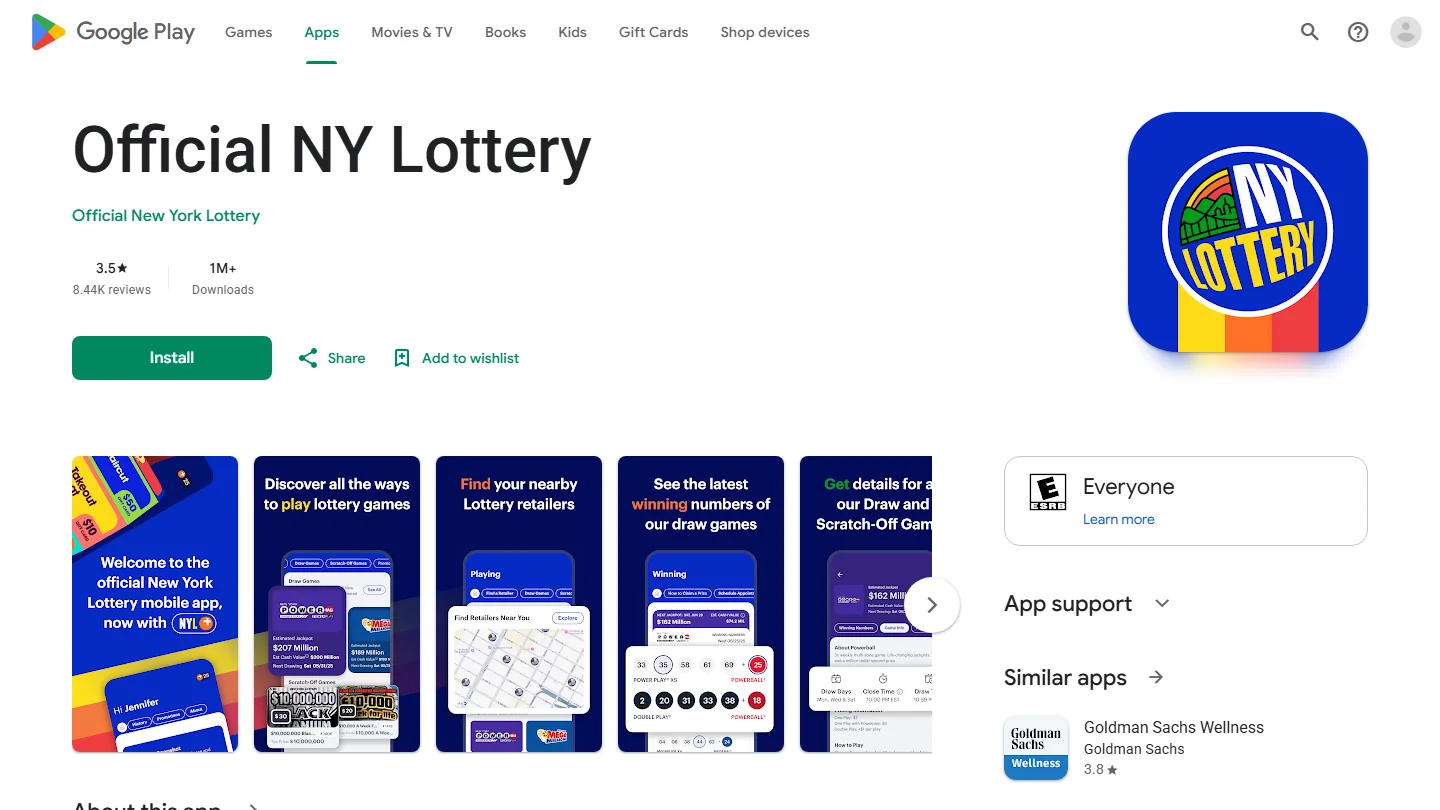
Use the official New York Lottery app for Ticket Check, sign in when requested, and keep the original ticket while checking its response. This guide explains official downloads, account access, draw-number comparisons, promotions and scanner problems. Facts checked November 17, 2026; exact screens and account instructions can change with updates.
Find the official New York Lottery app
Begin at the New York Lottery's own app page, then follow its store link. A search for a New York ticket scanner can return the operator's application alongside independent results tools. Both may use familiar game names, yet their relationship with the lottery is different. Verify who publishes the software before giving it camera access or account information.
The official app brings together ticket checking, winning numbers, game information, retailer locations and promotions. Decide which of those jobs you need first. Someone looking up a drawing can start with published numbers; someone holding an original ticket needs the appropriate ticket-checking channel. A convenient results display does not establish that another application's barcode feature is connected to the issuing lottery's validation system.
Choose the correct iPhone or Android listing
The iPhone listing is called Official NY Lottery and identifies New York Lottery as its developer. The official Android listing names Official New York Lottery. Check that identity on the listing reached from the operator rather than judging only the icon, star rating or position in search results. An independent product can appear above an official one without becoming the official service.
For example, the separate NY Ticket Scanner listing identifies LotteryCurrent as its developer and describes itself as independent. That disclosure is useful when comparing products. It is not evidence that the official operator endorses its estimates, account requirements or ticket-processing claims. Our online scanning guide explains the wider difference between reading numbers and validating a ticket.
Review the compatibility information shown for your own device before installing. Platform requirements and available versions can change, so an old download tutorial should not override the current store's message. A saved APK from an unrelated mirror is also a different distribution route from the official Google Play listing. Returning to the operator's link is a practical way to resolve a confusing collection of similarly named downloads.
Free download describes the app, not a free lottery entry or a guaranteed prize. Keep software installation separate from buying any game. This guide was checked on November 17, 2026 and describes documented functions; it does not claim that we installed the app on your particular phone or scanned a ticket in your account.
Sign in before using Ticket Check
The official store descriptions require an account for functions such as ticket scanning. Reaching an app's results screen therefore does not establish that its scanner is ready. First distinguish an installation problem from an account problem: can you open the application, can you reach the sign-in page, and can you complete the account step it requests? Each answer narrows the next useful action.
Read the current instructions in the app and the operator's Help Center before making another account. Older store descriptions contain migration language, while the NYL+ material also addresses existing New York Lottery and Collect 'N Win users. A sentence copied from an older tutorial should not decide how every account must be recreated today. Follow the instructions applying to your particular account and current version.
Resolve old account and password confusion
Start with the email associated with the account you actually used. A different address saved by your phone can produce a valid-looking login attempt for the wrong identity. Inspect the address before requesting a reset. If you use a password manager, check which saved entry it fills rather than repeatedly submitting the same unsuccessful combination.
Use the recovery route reached through the official app or Help Center. Keep the reset attempt separate from registration: restoring access to an existing account and creating a new profile are different operations. If a recovery email arrives, read its destination and timing before following it; an older message in the same thread can make a later attempt confusing. Check filtered mail as well as the main inbox.
An accepted password followed by a verification request is another state again. Do not describe it to support merely as a password failure. Record the exact message and whether it appears before or after sign-in, without including a password, ticket barcode or identity document in a public post. This guide does not prescribe a universal list of verification documents or promise that opening another account bypasses the process.
While account access is being resolved, the New York results page can help you locate the game and drawing you need. Reading published numbers remains different from checking the issuing lottery's record of your original ticket. Preserve that ticket while you use an alternative results lookup; losing access to an app is not a reason to discard it.
Check a New York ticket with the scanner
Use the Ticket Check function in the official application and follow the instructions it currently displays for your ticket. Keep the ticket's issuing state in view: this is a New York service, not a promise to validate every ticket purchased elsewhere. Confirm that you are checking the original lottery ticket rather than a saved playslip, an advertisement or a picture of a result.
Prepare the ticket and camera
Allow the app to use the camera when the scanning function requests that permission. If you previously refused it, inspect the device settings for that application. A camera that never opens needs a different response from a camera that opens but cannot focus. Check which of those states you actually see before changing unrelated settings.
Place the ticket on a stable surface in clear, indirect light. Keep the code the app asks for fully within view and allow the camera to focus. Adjust glare or distance deliberately, then hold still long enough to observe the response. These are practical ways to improve readability, not a guarantee that every damaged or unsupported ticket will become readable. Do not uncover a different area by guesswork or scratch aggressively to improve an unclear image.
Read the response before making another attempt
Once the app responds, read the complete message. A failure to read, a request to sign in and an actual ticket result are different outcomes. Save the wording privately when it is unclear. A sound, a changing frame or a camera animation alone is a poor basis for deciding that a ticket lost.
For a draw ticket, also check whether the relevant drawing has taken place and whether the ticket contains more than one drawing. One completed drawing does not settle all future entries on a multi-draw ticket. Keep the original while those dates remain outstanding. If the app identifies a win, keep that result separate from the later claim process; if its response conflicts with the printed ticket or a published result, seek official clarification before disposing of anything.
Compare draw numbers when scanning is unavailable
A draw ticket gives you another useful starting point: its printed game, date, session and selections. Write those details down before opening a results page. The latest headline number may belong to a drawing after the one on your ticket, especially when you are checking a ticket you found in a wallet or a multi-draw purchase.
New York's three-digit game is Numbers; Win 4 is the separate four-digit game. Both have Midday and Evening results. Select the correct game and session before comparing digits, and preserve leading zeros. A display such as 0-1-2 contains three positions, not a two-digit number after dropping the zero. For a ticket with several panels, check each paid selection against its own conditions.
Read the wager type as well as the selected digits. In a hypothetical example, selecting 1-2-3 and seeing 3-2-1 does not satisfy an ordinary Straight in exact order, although the same rearrangement can matter for a correctly purchased Box. The ticket determines which wager you bought; changing the order on a website cannot change the original purchase. Our Numbers and Win 4 guide explains those bet types and their prize-chart differences.
Keep a separate row for each date when working through a multi-draw ticket. Mark a drawing checked only after confirming the game and session, then leave future dates outstanding. This simple record reduces the risk of repeatedly checking the latest result while overlooking an earlier eligible drawing. If a source has no result for the selected date, that is missing information, not a losing-ticket determination.
The LotterySnap number checker provides number comparison tools. It does not scan a secure barcode, establish ownership, validate a Scratch-Off result or authorize payment. For a possible match, return to the operator's published results and official ticket-checking or claim channel. A manual comparison can help you identify a question worth checking, while the original ticket remains essential to resolving that question.
Keep Scratch-Off checks and promotional entries separate
The official app also presents promotions and NYL+ functions. A ticket can therefore be involved in more than one process. First establish whether the screen is checking the original game's status, recording an eligible promotional entry or displaying points. Those processes can coexist without sharing the same result or eligibility requirements.
For a Scratch-Off, read the actual game instructions and use the official checking route when you want to confirm its status. An ordinary draw-number comparison cannot determine the hidden outcome of a Scratch-Off ticket. The game number, symbols and conditions printed on the ticket matter; a picture of another ticket from the same design cannot settle yours.
A successful entry is a different result from a winning scan
Promotional instructions can allow an eligible ticket number to be entered or scanned for a separate opportunity. Read the particular promotion's rules before submitting: its accepted games, entry period and entry method decide what is eligible. An old Collect 'N Win tutorial should not be assumed to describe every current NYL+ offer, even when the account or scanner looks familiar.
A confirmation that an entry was accepted establishes that submission, not that the original ticket won or that the new entry will be selected. Likewise, points appearing in an account are not automatically the original game's prize. When checking a missing record, identify which record you expected: the ticket result, an entry, points or a later promotional award. That keeps support requests focused on the right process.
Use the current promotion's account history or confirmation instructions to check whether a submission was recorded. Avoid repeated entries based only on an unclear animation; a duplicate attempt can create a different question from a failed first submission. Keep a private note of the promotion name and the response you received. This guide does not promise that every New York ticket earns the same number of points or that all older promotions remain active.
Diagnose a scanner that will not read the ticket
Begin by describing the failure in one sentence. A black camera view, a sharp image with no response, a login request and a returned ticket message are four different observations. Recording the failure stage prevents you from applying an account remedy to an optical problem or treating a failed read as a definite losing result.
Separate camera problems from account and service errors
If the camera does not open, inspect the app's camera permission. If it opens but the image is unclear, adjust light, steadiness and focus. If the image is sharp but the app asks for account access, address that request rather than repeatedly changing the angle of the ticket. Make one reversible change at a time so you can tell which change affected the result.
Check the official store for an available update and note the version currently installed. Close and reopen the application if it has stopped responding, while keeping your account details and ticket safe. An update is a sensible compatibility check; it is not proof that a specific ticket must then scan. This guide has not verified a universal outage or a maintenance timetable applying to every unsuccessful attempt.
Use an official fallback when the result remains unclear
If a clear ticket still cannot be read, preserve it and use an authorized retailer or the operator's support and claim guidance. Do not cut the barcode, apply heat or remove more material to force a result. Damage is a reason to ask for the correct official procedure, not to experiment with the information the claim system may need.
When seeking help, provide the device model, operating system, app version, game and exact error wording. State whether scanning ever worked on that device and whether the problem affects one ticket or several. Share ticket-identifying details only through the official private channel when requested. A useful report explains the attempt; it does not need a public photograph exposing the ticket's codes or your account.
Protect the original and follow the prize claim route
A positive scanner response is the start of checking the appropriate claim instructions. Read the operator's current guidance for the game and prize involved, protect the original ticket and retain a private record of the response. A phone screenshot can help describe what happened, but it should not be treated as an interchangeable replacement for the original ticket or the lottery's validation records.
If you are uncertain about what the ticket shows, obtain official clarification before submitting it through a claim channel. Ask whether the action being performed is only a check, a validation or a completed redemption, and retain the relevant receipt. Those are useful questions when a retailer has scanned a ticket and the next step is unclear. Do not assume that a missing app notification establishes whether a separate retail transaction occurred.
Use the contact and claim routes reached from the operator's own website. An unsolicited message offering to unlock a scanned prize for an advance fee is not part of this guide's checking process. Keep passwords, identity documents and ticket codes out of public troubleshooting posts. A support question can describe the platform, game and error without publishing information another person could misuse.
The app's retailer finder can help locate a normal official checking route. Confirm the service you need before travelling, especially when the question concerns a claim rather than an ordinary results lookup. This article does not promise that every retailer handles every prize or that the app itself pays every winning ticket. New York's current instructions determine the applicable route.
Finally, keep checking and additional purchases separate. You do not need to buy another ticket to make a previous ticket easier to read, and more app activity does not improve the odds of an existing selection. Lottery participation is for adults 18 and older; set a spending limit before purchasing. LotterySnap provides independent information and number comparison tools, not ticket sales, official validation or prize payment.

Loading comments...