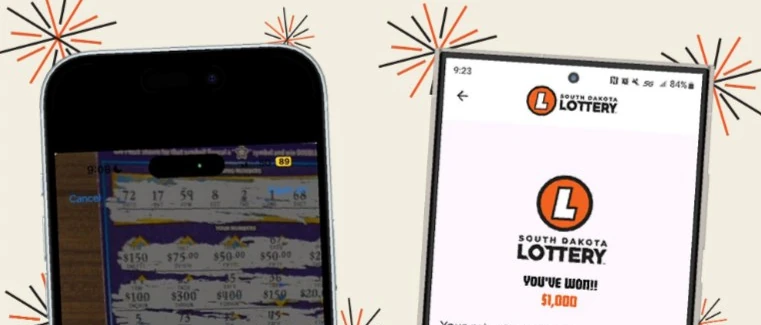
Open the official South Dakota Lottery app and choose Scan Tickets to check a physical scratch or lotto ticket. Play-It-Again is a separate Players Club feature for entering eligible non-winning scratch tickets. If your scan shows an eligible prize from $101 through $5,000, Mobile Cashing lets you start a digital claim while signed in. The original ticket remains important at every step.
If you came here to compare a draw date and numbers, you can start with South Dakota lottery results. To confirm a paper ticket or move from a scan to a claim, use the Lottery’s own app or take the ticket to an authorized retailer or Lottery office.
Find the official South Dakota Lottery app
Start on the South Dakota Lottery’s state website and choose its app-store button for your phone. The two official listings are both titled South Dakota Lottery. At the time of checking, Apple showed Barsness Solutions as the developer, while Google Play showed Fjorge Product Development. The developer lines differ because you are looking at two stores. The reliable way to confirm the app is to follow the link provided by the Lottery itself. South Dakota Lottery’s official app download page
A similarly named South Dakota Ticket Scanner also appears in store search. Its publisher, LotteryCurrent Inc., describes it as independent. That distinction matters when a claim asks you to sign in. Use the app reached from the state website for the official scanner, Players Club promotion entries and Mobile Cashing. If you already installed an app and do not remember which store result you chose, open the state download page and compare its destination with the listing on your device. Independent scanner’s Google Play listing
The official app can serve a few purposes during the life of one ticket. When the drawing is still ahead, the app’s drawing information can help you locate the game and date. Once the drawing has occurred, Scan Tickets uses the physical ticket to check it. Play-It-Again and Mobile Cashing each have their own steps and eligibility checks, even though you may begin with the same piece of paper. Use the current store listing to update the app if what you see on your phone differs from the Lottery’s instructions. Official South Dakota Lottery Mobile Cashing announcement
If your goal is only to see the numbers, you can go straight to the South Dakota drawing results in a browser. This is useful when you have the game and date but no phone camera or no interest in using an app. A number comparison gives you the published outcome. Keep the physical ticket for the issuer’s validation if you need to claim a prize. The state lists 18 as the minimum age to play South Dakota scratch and lotto games. Checking a ticket you already have requires no new purchase. South Dakota Lottery website and app terms
Scan your South Dakota Lottery ticket
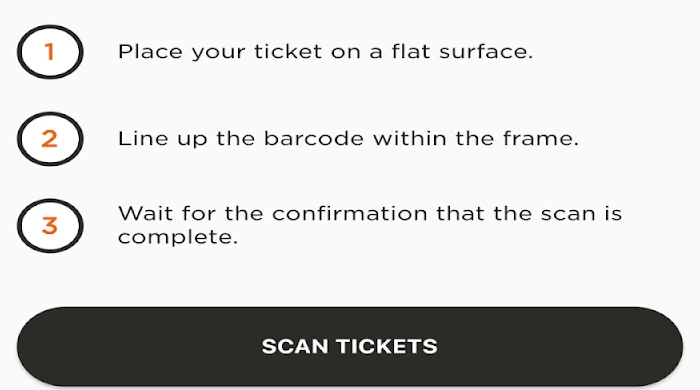
Open Scan Tickets in the official app and allow camera access if your phone asks for it. Put the ticket on a flat surface and hold the camera far enough away to see the full barcode within the frame. Let the camera focus and wait for the app to confirm that it read the ticket before moving it away. If the camera never opens, check the app’s camera permission in your device settings. If it opens but will not focus, try light from a different angle and flatten any fold in the code area. South Dakota Lottery scanner and permission instructions
Find the right code on scratch and lotto tickets
On a scratch ticket, the South Dakota Lottery says to reveal the barcode near the bottom of the front. The printed game numbers and symbols tell you how the game is played, while the barcode lets the scanner identify the ticket. Clear the covering over the code without damaging the paper. If the phone camera is unavailable and both codes are readable, the Lottery’s web scratch-ticket checker asks for the front and back barcode numbers. That browser form is a separate way to check a scratch ticket. South Dakota Lottery ticket-check FAQ · Official web scratch-ticket checker
For a lotto ticket, line up the barcoded part of the actual printed ticket. Read the game name and each draw date on the paper while you have it in front of you. A multidraw ticket can remain relevant after the first result. If you choose to check numbers manually, compare one play with the official result for its draw date and include the separate ball or add-on only where it belongs. For example, compare a purchased Powerball Double Play entry with Double Play results. The LotterySnap numbers checker helps compare draw numbers. Use the issuing Lottery or an authorized retailer when you need the specific ticket validated.
Read the scan result before taking the next step
A successful scan means the app read the ticket. The result and draw status determine what to do next. If a draw is still pending, keep the ticket and check again after the official result appears. If an app response seems inconsistent with what is printed on the ticket, verify the game and date before drawing a conclusion. A result for the latest draw may belong to a different date. A scan error or a result that has yet to post gives you a reason to keep the paper and check through another official channel. Official South Dakota draw results
For a winning response, read the amount before choosing how to claim and sign the back as the Lottery instructs. Save the paper ticket in a safe place. A screenshot can remind you what the app displayed, while the state’s claim rules are based on the original ticket and its validation. If you cannot tell whether a ticket won, ask a licensed retailer or the Lottery to check it. Keep the barcode and other ticket codes private while asking for help. Official South Dakota Lottery app and prize terms
Enter an eligible ticket in Play-It-Again
Play-It-Again is the South Dakota Lottery’s second-chance feature for qualifying tickets. A regular scan tells you how the ticket did in its original game. If you already have a non-winning ticket and want to enter it in a promotion, sign in to the Players Club, open Play-It-Again and choose the specific drawing. The original game’s outcome stays the same. An accepted entry puts the ticket into the promotion named on the screen. South Dakota Lottery Players Club
Read the promotion rules before scanning or entering a code there. Look for the game title, the eligible entry dates and the cutoff shown for that drawing. For example, the official VIP Only rules for September through December 2026 identify most eligible non-winning scratch tickets during that period and exclude tickets with their own second-chance drawings. They also say a ticket previously entered in a second-chance promotion cannot be entered in another. An older promotion may still show up in search results, so match the rules and dates to the promotion you have open. September–December 2026 VIP Only rules
Once you choose the drawing, follow the entry instructions and read the confirmation before putting the ticket away. A scanner may recognize a barcode while the promotion rejects the entry because of the game title, deadline or duplicate use. If the app gives an error after you submit, check whether the ticket appears in the promotion’s entry list where one is provided. You can also use the official Players Club website when the specific promotion allows it. A browser entry and an app entry still belong to the same promotion record. Check the rules or contact the Lottery if you cannot verify that your entry went through. Example of official promotion entry and validation rules
Keep the ticket and any confirmation you receive until you have checked the promotion’s instructions for selected entries. Store them privately so you can refer to the same game and drawing if the Lottery needs to verify the entry. For a ticket you already own, the useful question is whether it qualifies for the current promotion. Checking that eligibility does not require buying another ticket.
Claim an eligible prize through Mobile Cashing
South Dakota's Mobile Cashing feature starts with the same ticket scan described above. It adds a separate digital claim for eligible instant and lotto prizes from $101 through $5,000. The money is sent via an ACH bank transfer after the Lottery processes the claim. A screen showing a prize amount gives you a result to act on. A submitted claim has its own status, which you can review through the Lottery's Mobile Cashing process.
Check your prize amount and eligibility
For a simple way to remember the endpoints, consider four separate hypothetical tickets. A $100 prize falls below the mobile range. A $101 prize is at the lower endpoint and a $5,000 prize is at the upper endpoint. A prize of $5,001 is above the range. These limits apply to the eligible prize on a ticket. Keep each original and check each prize on its own before deciding where to claim it.
Open the official app, sign in to your Players Club account, give the app camera access and choose Scan Tickets. When an eligible prize comes back, the Lottery says the app offers a mobile claim option. If you checked the ticket before signing in, sign in first and take a fresh look through that workflow. Keep control of your paper ticket while deciding whether to use the app or one of the claim methods provided by the state.
A lotto ticket valid for several drawings may show a prize before its final draw occurs. The state asks players to wait until all the drawings on that ticket have finished before completing a mobile claim. Check the final eligible date printed on the ticket, then reopen the scanner once that drawing is complete. The rule concerns the mobile claim, so keep the original handy throughout that period and use the official prize instructions if timing or the result is unclear.
Submit the claim and track the ACH payment
From the mobile claim option, complete the digital form and review the summary screen before submitting. Sign the back of the original winning ticket and keep it until the claim is complete. Use Mobile Claims from the app's main menu to check on the submission. If the Lottery identifies an error in the form, its staff may contact you for next steps. The state's FAQ says that follow-up can lead to payment by mail in some cases.
The Lottery says most claims are completed within four business days and a first claim may take up to eight business days. It also says using different bank details for a subsequent claim can add time because it runs its verification again. Count business days when estimating how long a submission has been in progress. The status screen or an answer from the Lottery gives you a more specific check than counting days from your original ticket scan.
For a generic error at submission, the Lottery's FAQ suggests signing out and signing back in to recover an expired session. When you cannot tell whether the submission reached the Lottery, use Mobile Claims to see whether there is already a record before trying again. Contact the state through an official channel when the status is unclear. Keep the ticket until the question is resolved, and use the in-app form for the claim itself.
What to do if the scanner or mobile claim cannot help
If the paper ticket is difficult to read or your phone cannot scan it, save the original and have an authorized South Dakota Lottery retailer or a Lottery office check it. For a draw ticket, you can also compare the printed game and draw date with the official results. That comparison tells you whether the numbers line up. The retailer or Lottery can use the paper ticket to verify the outcome and direct you to the claim process.
For scratch tickets, look up the exact game name and game number in the South Dakota Lottery's scratch game listings. Games with similar names can have different play instructions and dates. If you are unsure whether a ticket is still claimable, use the state's posted date for that game or ask the Lottery. Keep the entire ticket even when part of the barcode is hard to read. The full ticket gives the retailer or the Lottery more information to work with.
The state's official claim instructions direct players with prizes of $100 or less to take a signed ticket to a retailer or follow the Lottery's mail instructions. Prizes of $101 or more are paid by the Lottery, which lists validation centers in Pierre, Rapid City and Sioux Falls. The state also explains which prizes can be sent by mail with the signed original and completed form. Some large prizes require an in-person claim, so look up the exact game and prize tier before making a trip or mailing a ticket.
Put the claim deadline alongside the prize amount when deciding what to do. The state gives you 180 days after the winning lotto drawing to claim a lotto prize. For a scratch prize, the state describes a window of up to 180 days after the announced end of the game and publishes last claim dates. If you bought several draws at once, identify the date on which the prize was won. For a scratch ticket, use the posted end and claim dates for that title.
If a scan, a number comparison and a claim screen give you information that seems inconsistent, start with the question you need answered. For a draw result, check the game and date. For an unreadable or disputed ticket, take the original to an authorized retailer or contact the Lottery. For an existing mobile claim, check Mobile Claims and follow up through the state. Each step takes you to the source that can resolve that part of the problem.

Loading comments...